
ABCmouse: Kids Learning Games is an educational app designed to make early learning more enjoyable through interactive games, reading exercises, puzzles, songs, videos, and other activities. It is aimed primarily at children aged 2–8 and covers subjects such as reading, mathematics, science, art, and music. Searching for ABCmouse: Kids Learning Games MOD APK usually means looking for a modified Android package that claims to unlock premium lessons or paid features.
However, those claims should not be treated as verified unless they can be independently confirmed. The good news is that ABCmouse now offers an official Basic option alongside its Premium offering. Basic provides limited daily learning activities without requiring a subscription, making it worth checking before considering an unofficial modification.
In this guide, we explore the official app’s learning features, explain what MOD APK claims mean, compare the available options, and show how to install ABCmouse safely on Android.
What Is ABCmouse: Kids Learning Games?
ABCmouse is an early-learning platform developed by Age of Learning, Inc. Its activities are designed to help young children practise foundational skills in a playful digital environment.
Rather than functioning like a conventional action or racing game, ABCmouse combines educational content with interactive rewards. Children can practise letter recognition, phonics, counting, simple mathematics, creativity, and basic science concepts.
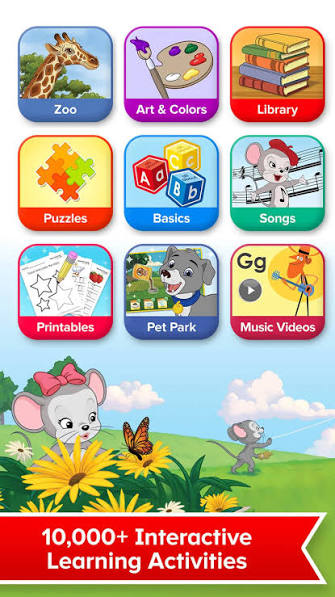
According to its Google Play listing, the app includes thousands of educational games, books, puzzles, videos, songs, and other activities. The exact content available depends on the app version and access plan.
Features of ABCmouse Kids Learning Games
Reading and Phonics Activities
Early reading is one of ABCmouse’s central learning areas. Activities cover alphabet recognition, letter sounds, vocabulary, sight words, and early reading practice. Interactive exercises can give children a more engaging way to practise than worksheets alone.
For example, a parent might use a short phonics activity to reinforce a letter or sound introduced during the day. The goal is to make regular practice approachable, particularly for preschoolers and children beginning kindergarten.
Mathematics and Number Recognition
ABCmouse includes early mathematics activities covering counting, number recognition, shapes, patterns, addition, subtraction, and measurement. These exercises can help parents introduce mathematical concepts through repetition and interaction. A child might count objects, identify a shape, or solve a simple number problem before progressing to another activity.
Parents should select tasks suited to their child’s current ability rather than assuming that every activity will be appropriate for every learner.
Science and Discovery
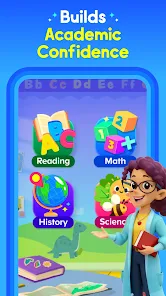
The app also introduces science concepts through topics such as animals, nature, weather, health, and space. Other activities explore life science and early STEM concepts. These topics can encourage curiosity and provide starting points for real-world activities. After exploring an animal-related lesson, for example, a parent could discuss animal habitats or read a related book together.
Digital lessons work best as a supplement to hands-on discovery, conversation, and play.
Art, Music, and Creativity
Learning is not limited to literacy and mathematics. ABCmouse offers creative activities involving art, colouring, music, songs, rhythm, and rhyme.
These features provide variety and can help children explore different ways of expressing themselves. Parents can use them to balance more structured lessons with activities focused on creativity.
Interactive Worlds and Rewards
ABCmouse uses playful environments and motivational features to encourage participation. Depending on the access plan, children may explore settings such as Pet Town, Safari Park, Aquarium, and other interactive worlds.
The official Basic plan includes a customizable learner profile, avatar features, tickets, rewards, and access to selected environments. Structured activities are subject to its daily activity limit.
A Free Basic Access Option
One of the most useful features for budget-conscious families is ABCmouse Basic.
According to the official support page, Basic includes up to 10 activities per day, refreshed every 24 hours. Activities span reading, phonics, mathematics, science, art, puzzles, music, songs, and selected interactive lessons. Basic also includes one grade-level reading and mathematics learning path, a single child profile, and an ad-free experience without third-party advertising.
Availability and features can change, so check the official plan description before signing up.
Parent-Oriented Learning Support
ABCmouse is designed for use by young learners, with learning activities intended to help them develop foundational skills. Its official app listing also describes progress tracking that helps parents monitor learning milestones. Parents can make this feature more useful by setting realistic goals, checking progress together, and asking children to explain what they learned.
For young children, shared learning time is often more useful than leaving an app running without adult involvement.
What Is ABCmouse: Kids Learning Games MOD APK?
A MOD APK is an Android application package that has been modified from an original app. In the case of ABCmouse, third-party websites may advertise modified versions with claims such as:
- Premium content unlocked.
- Paid features available without payment.
- Fewer access restrictions.
- Modified app settings or interface.
- Access to additional learning activities.
These are examples of claims that may appear in third-party listings, not verified features of an ABCmouse MOD APK. We have not established that a particular modified package provides these benefits, works correctly, or is safe.
A modified app may fail to connect to the official service, stop working after an update, or be unable to authenticate an account. It may also violate the developer’s terms or interfere with subscription-related functions.
Because this app is designed for children, installing an unverified package deserves particular caution. A modified installer should not be considered a trustworthy way to unlock educational content simply because a website describes it as safe or premium-unlocked.
Tips for Parents Using ABCmouse
ABCmouse can be a useful addition to a child’s learning routine when paired with adult guidance.
- Choose Activities By Developmental Stage. A toddler beginning to recognize letters may benefit from simple alphabet activities, while a kindergarten learner may be ready for early reading and mathematics exercises.
- Keep Sessions Purposeful. Select a small number of activities rather than allowing children to move randomly between games. A simple goal, such as practising letter sounds or counting objects, can make screen time more focused.
- Discuss What Your Child Learns. Ask questions about a story, a number puzzle, or a science activity. This helps connect digital experiences with real-world understanding.
- Monitor Purchases. Keep payment credentials protected and review subscription details before confirming a purchase. Teach children to ask an adult before tapping purchase buttons.
- Balance Screen Time With ffline Activities. Reading printed books, drawing, building with blocks, outdoor play, and conversation remain important parts of early learning.
How to Download and Install ABCmouse on Android
If you want to try ABCmouse, use the official installation process rather than relying on an unverified MOD APK.
Step 1. Open the Play Store on your Android phone or tablet. Check that you are using the genuine store application.
Step 2. Search for “ABCmouse: Kids Learning Games” and confirm that the developer is Age of Learning, Inc.
Step 3. Review the app details and permissions, then tap Install if your device is compatible. If the store says the app is incompatible, check the developer’s minimum requirements.
Step 4. Open the app and review the available Basic and Premium options. Start with Basic if you want to evaluate the learning experience without committing to a subscription.
Step 5. Configure the learner profile, select age-appropriate activities, and supervise your child’s use. Check the subscription terms before authorizing any payment.
These steps follow ABCmouse’s official Android installation guidance.
Can You Install an ABCmouse APK Manually?
Android supports installing certain application packages from outside an app store, but that does not make every APK trustworthy. If you are considering a package from an unofficial website, first verify its source and authenticity. Do not disable security protections just to force an installation.
For an educational app used by children, the safer recommendation is to avoid modified packages and install the official version.
Conclusion
ABCmouse: Kids Learning Games combines early literacy, mathematics, science, art, music, and interactive play in an educational app designed for children aged 2–8. Its structured activities and reward features can support learning when used thoughtfully alongside parental guidance.
Although searches for ABCmouse: Kids Learning Games MOD APK may lead to promises of free Premium access, those promises are not proof that a modified package works or is secure. Unofficial files can create unnecessary privacy, account, and device risks.
For most families, the sensible starting point is the official ABCmouse app and its free Basic plan. You can explore its learning activities, assess whether they suit your child, and decide whether Premium access is worthwhile without relying on an unverified modification.
FAQs
Is ABCmouse safe for children?
The official app is designed for young learners and advertises an educational, ad-free experience. Parents should still review privacy information, supervise use, and check subscription settings. An unofficial modified version introduces additional uncertainty.
Can I use ABCmouse without paying?
Yes. ABCmouse Basic offers free access to selected activities, including up to 10 activities daily under the currently documented plan. Premium provides additional content and access. Review the official plan information for current details.
Does ABCmouse work offline?
The official app listing advertises offline functionality after installation. However, offline availability may depend on the content, device, and app version. Check which activities are available offline before relying on the app during travel.
What should I do if an ABCmouse APK triggers a security warning?
Do not ignore the warning or disable protection simply to install the file. Cancel the installation, delete the untrusted download, and obtain the official app from a supported store. If you have already installed a suspicious package, uninstall it, run Google Play Protect, and change any credentials you entered into it.















Review & Discussion