


Meta AI is an artificial intelligence assistant from Meta that helps Android users answer questions, generate images, explore ideas, use voice conversations, and work with supported files. Although searches for Meta AI MOD APK often focus on unlocked features or premium benefits, unofficial modified versions are not verified by Meta and may introduce security, privacy, and compatibility risks. For the safest experience, users should start with the official Meta AI app or the official website.
What Is Meta AI MOD APK?
Meta AI MOD APK is a search term used for unofficial Android installation packages that claim to modify the original Meta AI application. Depending on the distributor, a modified APK might advertise unlocked tools, fewer restrictions, or an altered user interface. However, these claims should not be treated as verified features. Meta does not certify third-party modified packages as official Meta AI releases, and there is no guarantee that an APK advertised as a MOD will work as described.
The official Meta AI application is designed to provide AI assistance through text, images, voice, and other supported experiences. Availability varies by country, language, device, and feature rollout. Users can also access Meta AI through supported Meta platforms, including WhatsApp, Instagram, Facebook, and Messenger.
For Android users, the important distinction is that the official app provides the supported experience, whereas an unofficial modified package introduces uncertainty about its origin, integrity, and behavior.
Features of Meta AI for Android

The following features are documented for Meta AI’s official experience. Their availability may differ across devices and regions, and they should not automatically be attributed to every APK advertised as a MOD.
AI chat and Smart Answers
Meta AI can help with everyday questions, explanations, brainstorming, recommendations, and learning. Users can ask for a simple definition or request a more structured response with examples and step-by-step instructions.
For instance, you could ask it to explain a school topic, prepare a travel checklist, suggest a weekly study plan, or rewrite a paragraph in clearer language.
As with other AI assistants, important answers should be checked against reliable sources. An AI-generated response may contain mistakes, outdated information, or missing context.
Image Generation and Creative Assistance
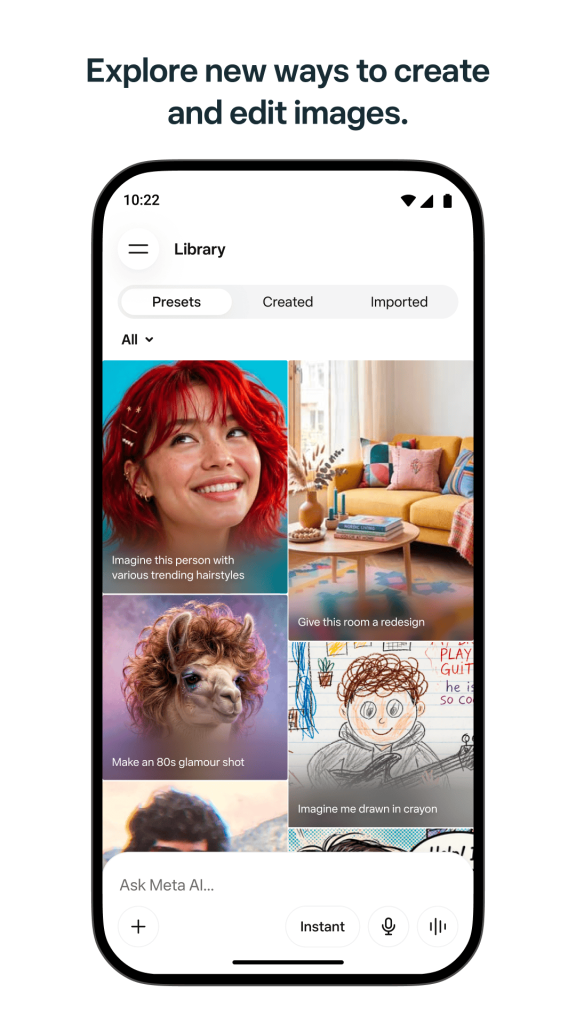
Meta AI supports image-generation experiences, allowing users to turn text descriptions into visual concepts where the relevant feature is available.
Possible uses include:
Click Here
Brainstorming ideas for social media posts.
Exploring poster and thumbnail concepts.
Creating visual inspiration for a project.
Developing character and illustration ideas.
Refining creative prompts before using a design application.
Some experiences also support image editing or creative transformations. The exact controls and usage limits depend on the official product version and regional availability.
Voice Conversations
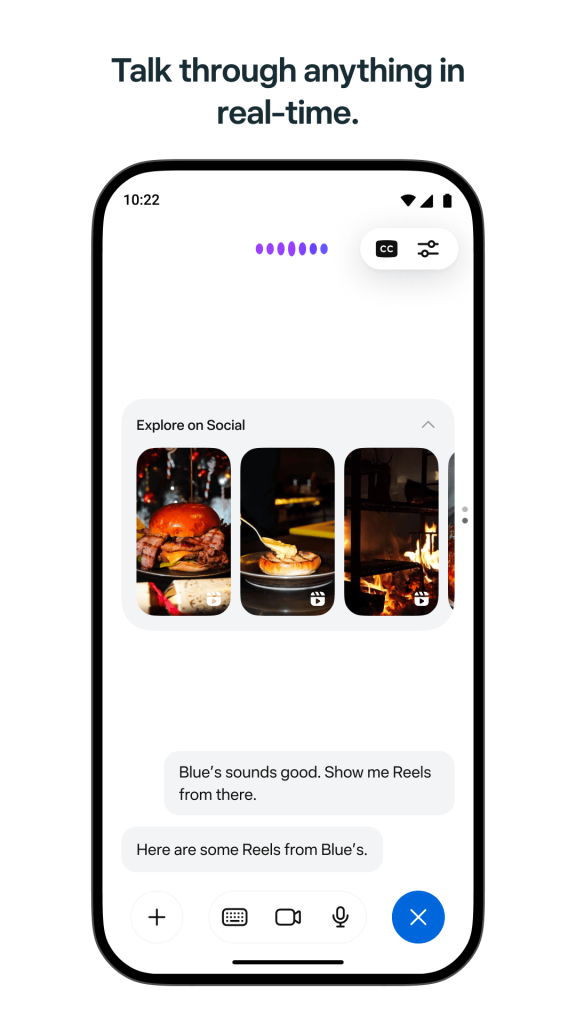
Voice interaction lets supported users communicate with Meta AI more naturally than typing every prompt. It can be useful when multitasking, brainstorming aloud, or asking follow-up questions while doing other activities.
Potential uses include practicing conversational English, discussing an idea, getting suggestions, or requesting an explanation without typing a long message.
Microphone access should be granted only when necessary. Read the app’s permission prompts and privacy information before enabling voice features.
Help Writing and Content Creation
Meta AI can help users draft and improve everyday written content. Examples include:
Click Here
Social media captions.
Short descriptions and announcements.
Message replies.
Brainstorming lists and content calendars.
Rewriting text in a different tone.
Outlining a blog post or presentation.
For better results, provide context, specify the intended audience, and describe the desired style. For example, ask for five short captions for a travel photograph in a friendly tone rather than simply requesting a caption.
Users should review generated text before publishing it, especially when it contains factual claims, business information, or sensitive details.
Research and Information
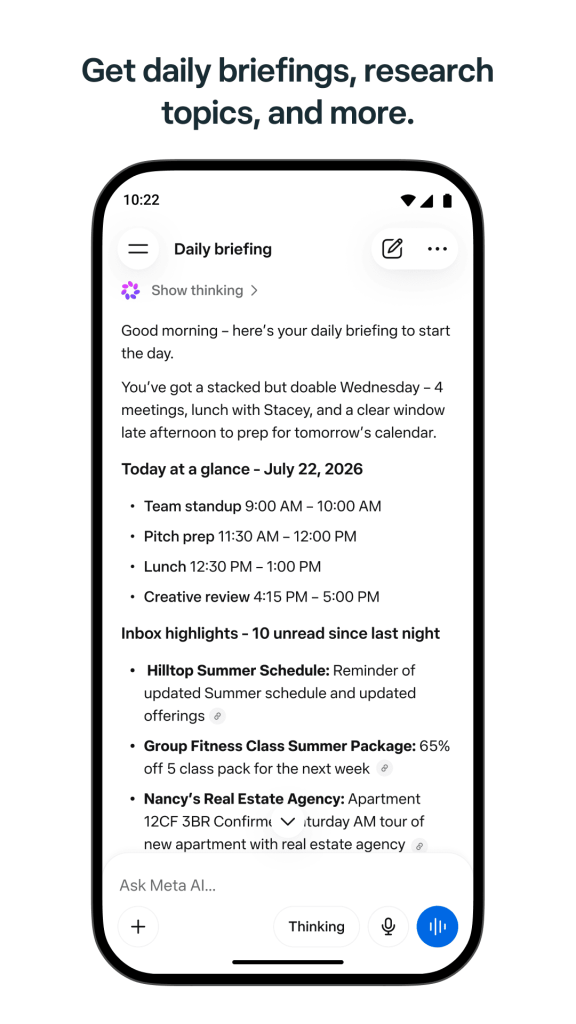
Meta AI can assist with learning about unfamiliar topics, comparing ideas, and organizing information. Meta also describes experiences that can use public posts from Instagram, Facebook, and Threads to provide additional context on topics people are discussing.
This may help users explore interests, discover trends, or generate ideas for a project. It does not make every response authoritative. For health, legal, financial, or other high-impact questions, consult qualified professionals and dependable primary sources.
File and Image Understanding
Supported Meta AI experiences can work with uploaded files, photographs, and documents. Depending on availability, users may be able to request a summary, compare information, or ask questions about the material they provide.
Before uploading anything, check whether it contains personal identifiers, confidential business material, financial records, or private conversations. Upload only information you are comfortable sharing with the service under its applicable terms and privacy policy.
Integration Meta Platforms
Meta AI is available through several Meta products, with access depending on region and product support. Users may be able to interact with the assistant inside WhatsApp, Instagram, Facebook, or Messenger, rather than switching to a separate application.
This integration can make it easier to ask questions, explore creative ideas, and get assistance within familiar applications.
Personalized Assistance
Meta describes its AI experiences as tools for more tailored interactions and recommendations. Depending on the product and settings, users may be able to receive suggestions that reflect their requests or supported preferences.
Personalization is not a reason to share unnecessary personal information. Avoid submitting passwords, verification codes, private keys, or sensitive identity documents to an AI assistant.
How to Download Meta AI on Android
The safest approach is to download the original application from Google Play or access the official website.
- Open the official Meta AI Website.
- Check that the listed developer is Meta Platforms, Inc.
- Review the app description, compatibility information, permissions, and current update details.
- Tap Install and wait for the installation to finish.
- Open the application and follow the account or setup instructions displayed on your device.
- Test a simple question or supported feature to confirm that the app works correctly.
- The official listing is the best place to verify the currently published Android application and its supported features.
Can You Install Meta AI MOD APK Manually?
Android supports manual installation of some APK packages, but that technical capability does not make a modified file trustworthy. Since Meta does not verify unofficial MOD packages, APKMarty should not describe any third-party file as a guaranteed safe or authentic Meta AI release without evidence.
If you are evaluating an APK from any third-party source, consider its provenance, publisher identity, cryptographic signature, requested permissions, and independent security results. Even these checks cannot guarantee that an application is harmless.
For general users, I recommend installing the official app instead of enabling unknown-app installation settings for an unverified modification.
Tips for Beginners For Better Results
You do not need a modified APK to improve the usefulness of an AI assistant. Good prompts, careful verification, and the correct official tools often make a bigger difference.
- Instead of asking, “Help me study,” try, “Create a seven-day revision schedule for a beginner learning basic computer science.”
- State whether you want a short answer, a detailed guide, a comparison, or a creative suggestion.
- Ask follow-up questions such as “Make it shorter,” “Give me three alternatives,” or “Explain that in simpler language.”
- Ask for supporting sources and check them independently, especially when information may have changed.
- Keep the app updated through its official distribution channel so that supported features and security improvements can reach your device.
These habits help you get more value from Meta AI without accepting the additional uncertainty of unofficial software.
FAQs
Why is Meta AI unavailable on my Android phone?
Possible reasons include regional restrictions, staged feature rollouts, device compatibility, app version, or account eligibility. Update the official application, check the current store listing, and try the official website if it is accessible in your region.
Can a modified APK steal personal information?
A malicious modified APK could attempt to collect information or abuse granted permissions. This is a potential risk rather than proof that every modified file steals data. Avoid installing untrusted packages and never submit account credentials to unofficial interfaces.
Should I install Meta AI MOD APK or the official app?
For most users, the official app is the better choice because its publisher and distribution channel are verifiable, and updates are provided through supported channels. A MOD APK’s claimed benefits rarely justify the uncertainty about its integrity and security.
Can Meta AI generate images?
Yes. Meta AI offers image-generation features, with availability and functionality varying by product, region, and rollout. Use the official app or website to check which tools are available to you.












Review & Discussion