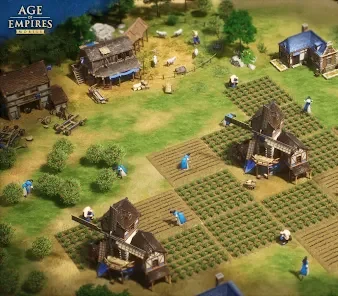

Age of Empires Mobile brings empire-building and large-scale strategy battles to Android and iOS. If you are searching for Age of Empires Mobile MOD APK, you may be looking for extra resources, unlocked features, faster progression, or a different way to experience the game. However, these benefits should not be assumed to exist in any particular modified APK without reliable verification.
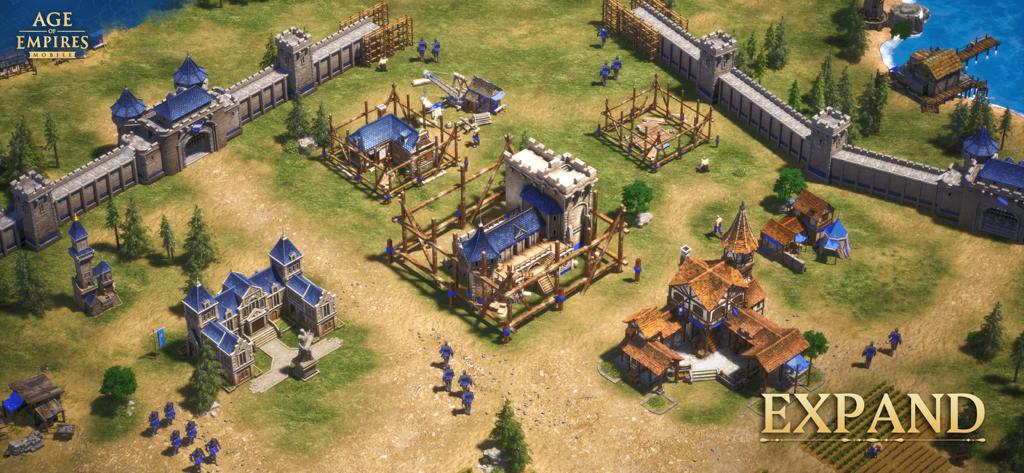
The official game offers historical civilizations, legendary commanders, troop management, city development, and alliance-based warfare. In this guide, APKMarty explores the game’s real features, explains what modified APK files are, and shows you how to make a safer download decision.
MORE Games – Roblox Game APK Download For Android
What Is Age of Empires Mobile?
Age of Empires Mobile is a mobile strategy game developed through a collaboration between TiMi Studio Group and World’s Edge, with publishing by Level Infinite. It launched worldwide on October 17, 2024.
The game combines empire management with mobile-focused strategic combat. Players develop their kingdoms, gather resources, research technologies, train armies, recruit historical heroes, and cooperate with other players.
Unlike a simple offline city-building game, Age of Empires Mobile includes significant multiplayer elements. Alliance activities and large siege battles make coordination, timing, and troop selection important parts of the experience.
The mobile version is designed specifically for phones and tablets. Although it shares its name and broad historical strategy themes with the PC franchise, its systems and gameplay are adapted for mobile play.
Features of the Official Game
The official game has several strategic systems worth understanding before deciding whether you want to play it.
Civilizations and Empire Building
The official launch announcement introduced eight civilizations: British, Byzantine, Chinese, Egyptian, French, Japanese, Korean, and Roman. Each has corresponding troop types and visual identity. Empire development involves collecting resources, constructing and improving buildings, researching technologies, and training forces to defend your territory.
This creates a balance between immediate military needs and long-term development. Investing heavily in your army may help with early conflicts, while neglecting resource production and technology can make later progression harder.
Legendary Heroes and Troop Combinations
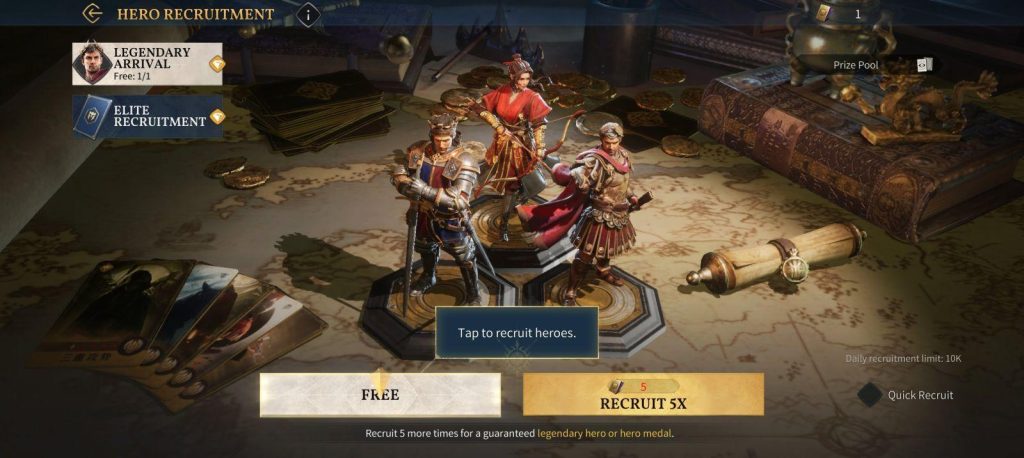
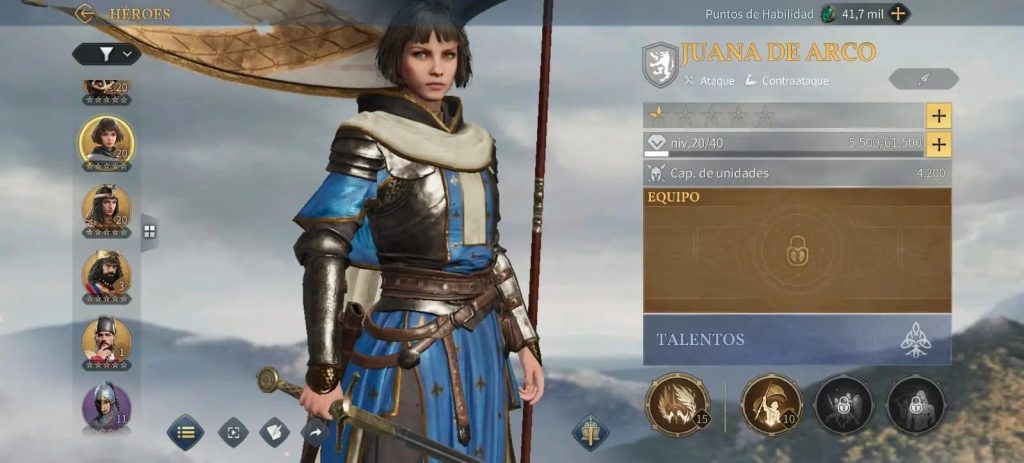
The game features historical and legendary commanders, including Joan of Arc, Leonidas, and Julius Caesar. The official Google Play listing describes a roster of more than 70 heroes, although the available roster may change as the game is updated. Heroes contribute individual attributes and abilities to army compositions.
Choosing a commander is therefore about more than selecting a famous historical figure: you also need to consider how the hero works with your troops and overall strategy. Experimenting with combinations is a central part of developing an effective army.
Real-Time Combat and Siege Warfare
Age of Empires Mobile supports real-time battlefield control and siege equipment, including trebuchets, battering rams, and other weapons described in the official game listing. Players can maneuver multiple troops and coordinate with their alliances during large battles.
Successful attacks depend on more than troop strength. Players need to think about positioning, the target, defensive structures, and how their forces cooperate. For multiplayer battles, communication and coordinated timing can be just as important as individual upgrades.
Alliance Gameplay
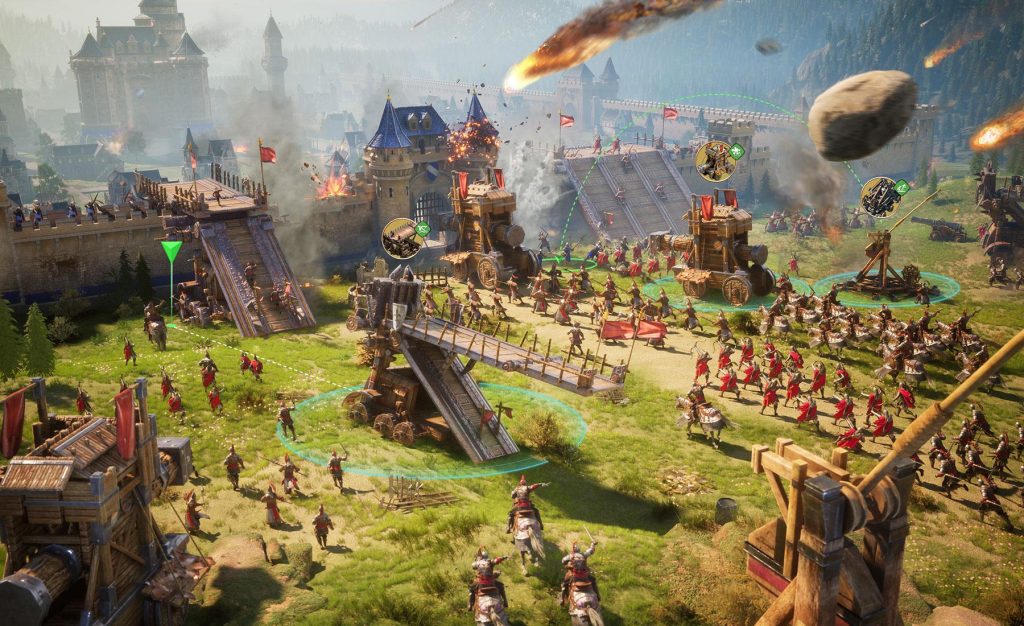
The game’s alliance and siege systems let players participate in larger conflicts with other players. These activities provide a social dimension beyond building an individual empire. Joining an active alliance can help newcomers learn the game’s systems, coordinate attacks, and participate in shared objectives.
However, multiplayer gameplay also means that unofficial modifications should be approached carefully. Software that changes game behavior may conflict with the game’s rules or server requirements.
Weather and Battlefield Terrain
The official game description identifies dynamic weather and terrain as strategic elements. Conditions such as rain, drought, lightning, and fog can affect battlefield decisions.
This makes the environment more than a visual feature. Players should consider where battles take place and how conditions might affect movement, visibility, and tactical decisions.
How to Download Age of Empires Mobile Safely
For the most reliable installation route, use the official game listing.
Follow these Steps:
- Open the official Google Play listing using the link above.
- Confirm that the game is Age of Empires Mobile and that the publisher is Level Infinite.
- Check the current compatibility information, permissions, and storage requirements displayed for your device.
- Tap Install if the game is available for your device and region.
- Open the game and follow its setup instructions.
- Download any additional game data through the official application.
The game’s availability and compatibility can vary by device and region. Consult the current store listing rather than relying on an old APK page for system requirements.
Tips for Beginner Gameplay: Better Progression
You do not need an unverified modification to start learning the game’s strategic systems. A few basic habits can help you make better decisions.
- Balance your economy: Keep resource production and military development moving together.
- Understand your heroes: Compare their attributes and learn which combinations suit your preferred playstyle.
- Avoid unnecessary losses: Consider the strength of your opponent, your troop composition, and the battlefield before attacking.
- Coordinate with allies: Multiplayer objectives often reward planning and teamwork.
- Review your upgrades: Focus on improvements that support your current goals rather than upgrading everything indiscriminately.
- Manage optional purchases: The official listing identifies in-app purchases, including random items. Review prices and purchase details before spending money.
These recommendations are general strategy principles, not guarantees of winning or rapid progression.
Conclusion
Age of Empires Mobile combines empire development, historical heroes, real-time battles, and alliance warfare in a mobile strategy experience. Its civilizations, troop combinations, siege mechanics, and dynamic battlefields offer plenty for strategy fans to explore.
Although searches for Age of Empires Mobile MOD APK often focus on extra resources or unlocked features, those claims should not be presented as facts without evidence. Unverified APKs may introduce security, compatibility, and account risks, and a successful installation does not prove that a file is trustworthy.
For most players, the official game is the best starting point. Download it from a verified source, learn its progression systems, build a balanced army, and explore its multiplayer features without putting your device or account at unnecessary risk.
APKMarty.com should prioritize accurate game information, transparent download guidance, and verifiable claims to build long-term trust with readers.
FAQs
Does Age of Empires Mobile MOD APK provide unlimited resources?
There is no verified evidence here that an unspecified MOD APK provides unlimited resources. Such claims should be treated as unconfirmed unless the exact file and its functionality have been independently tested.
Can I unlock all heroes using a MOD APK?
That cannot be guaranteed. Hero availability depends on the official game systems, and a third-party package’s claims about unlocking characters may be inaccurate or misleading.
Can I play Age of Empires Mobile offline?
Do not assume the game offers a fully offline experience. It includes substantial online and alliance-based gameplay. Check the current official listing and in-game requirements for the modes you want to play.
Will a MOD APK work with the latest version?
Not necessarily. Unofficial packages can become incompatible after game updates, and multiplayer functionality may depend on the official client and server requirements. A page claiming “latest version” does not establish compatibility.
Can I play Age of Empires Mobile on a PC?
Yes. An official PC edition became available through Steam and the Microsoft Store in June 2026, according to the franchise’s announcement. The announcement also describes crossplay between supported platforms.












Review & Discussion